Everything a small café needs, none of the chain-restaurant cruft
Six product areas, all included on every plan. Built around the actual workflow of a 1–6 branch independent café.
Point of sale
Tablet-first order screen, built for counter speed
The till is the screen your baristas spend their whole shift on. EspressOS treats it as a real product — big tap targets, no hover-only interactions, optimised for one-handed use while the other hand is on the espresso machine.
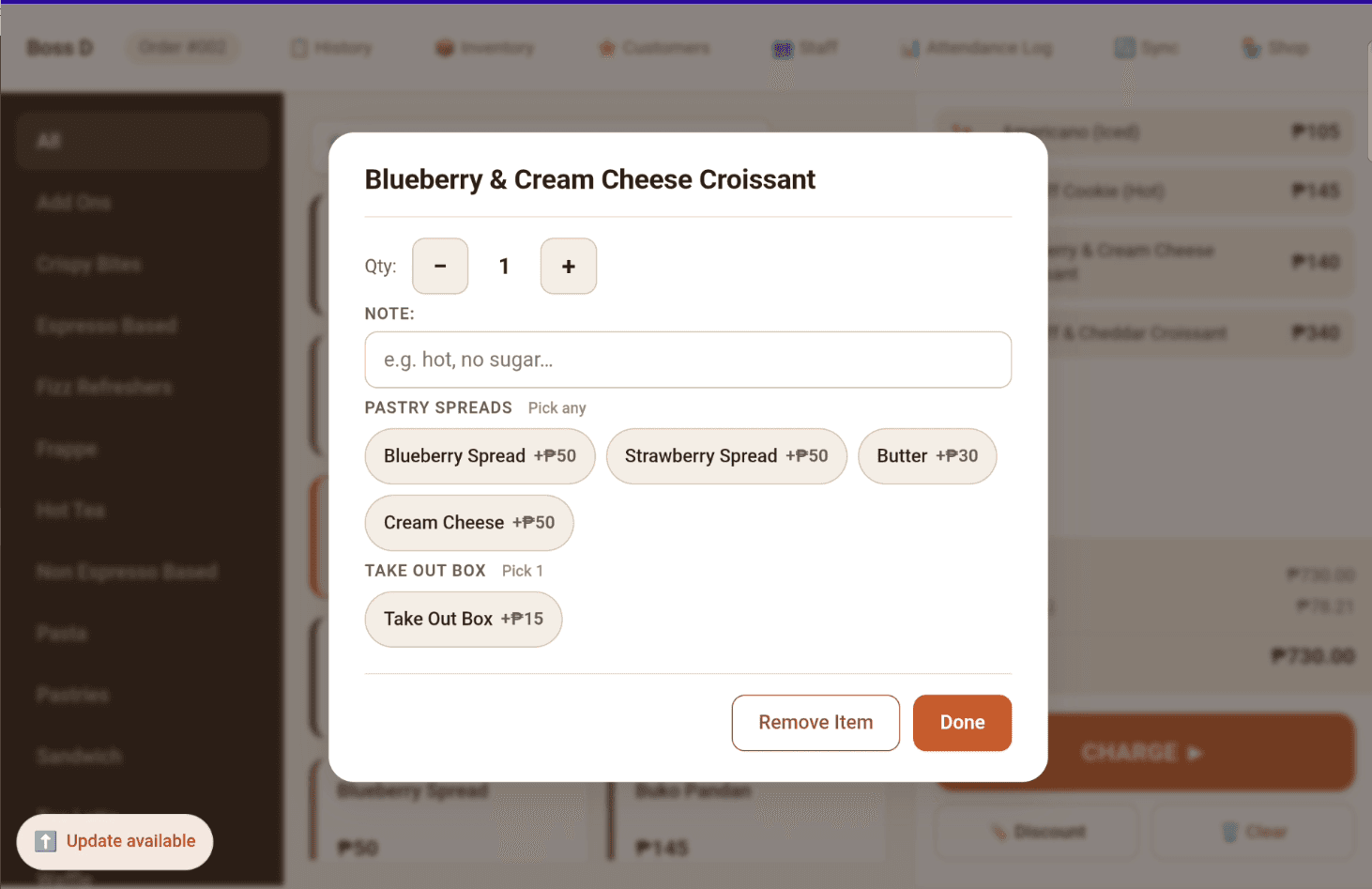
A typical order at a small café is 1–3 items with a couple of modifier picks (size, milk type, sugar level). EspressOS optimises the path for exactly that flow:
- Product grid grouped by category, filterable by typing
- Modifier groups attach to product categories — you don't see "soy milk" when you tap a pastry
- Cart on the right, payment buttons big and unambiguous
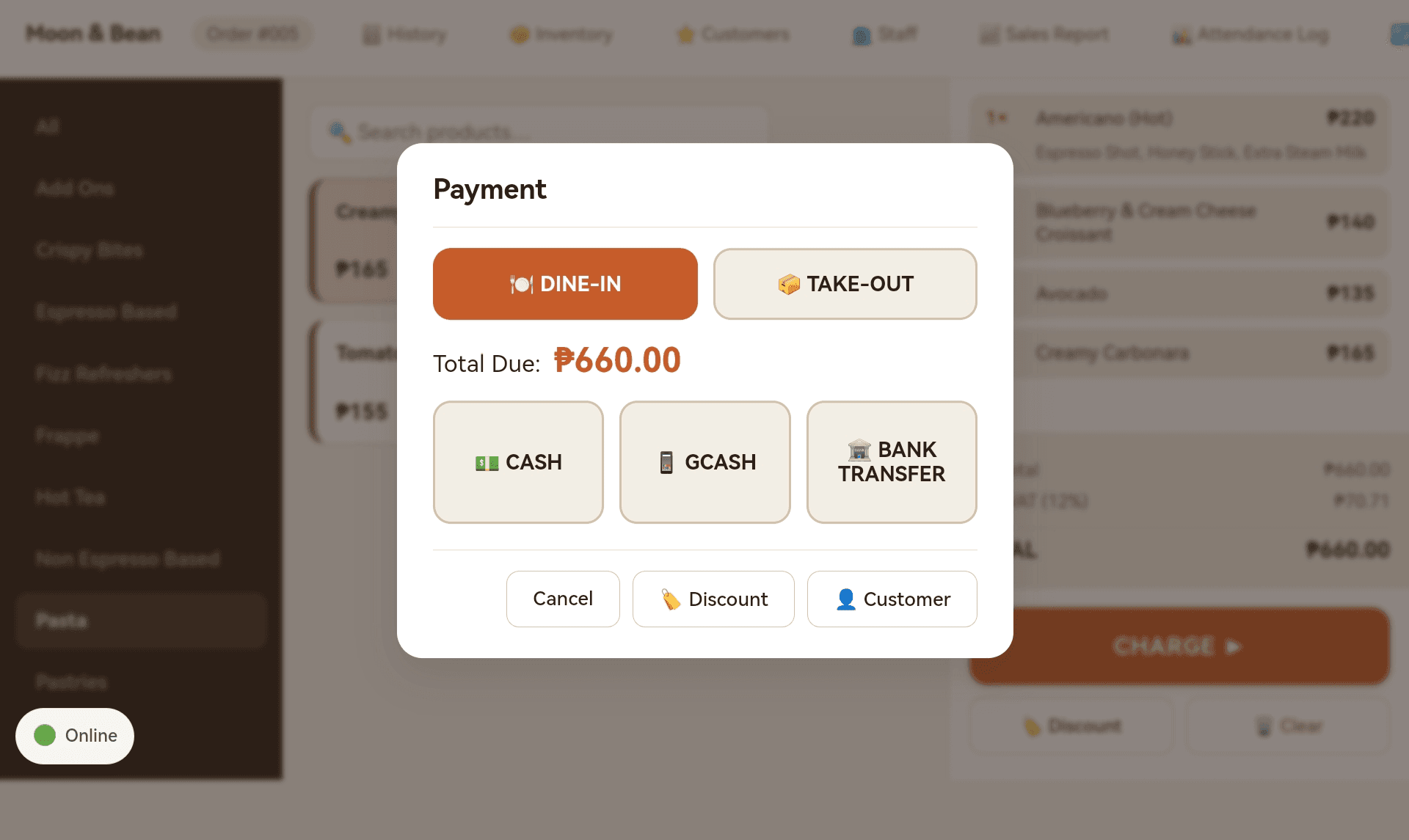
- Cash, bank transfer (with reference number capture), and GCash payment methods built in
- Dine-In vs Take-Out tagged at the payment step — printed on the receipt, the bar slip, and the drink sticker so the barista knows whether to use a takeaway cup
- Void requires a manager QR scan — cashiers can't void on their own
Offline-first sync
The data SIM dropped. The till keeps working.
Most cafés in the Philippines run on a data SIM with intermittent connectivity. EspressOS assumes the network might be gone at any moment and is designed to keep selling regardless.
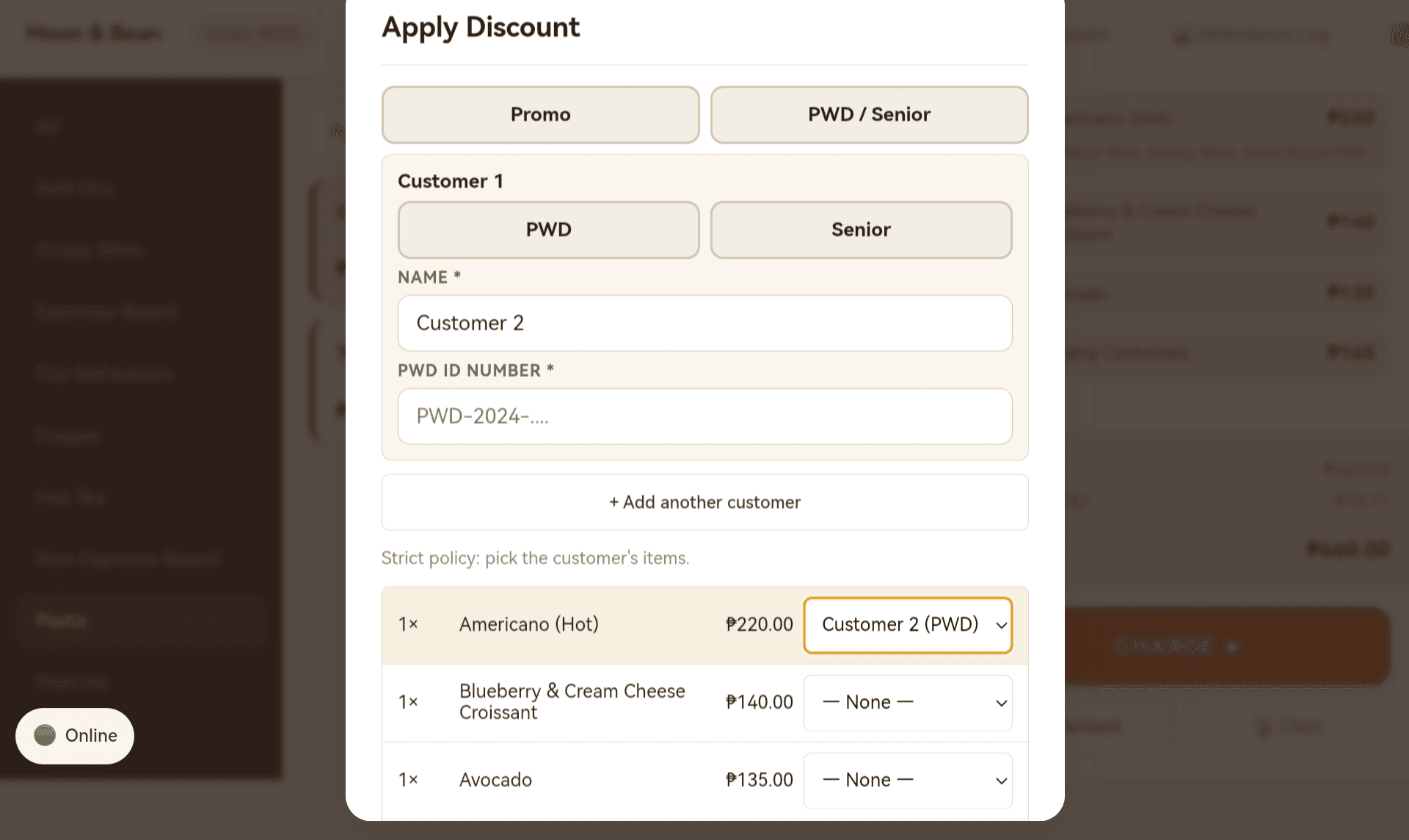
Every tablet has a local SQLite database. Orders, payments, stock changes, and customer point updates write locally first and sync in the background when connectivity returns. There's no "saving…" spinner that blocks the next sale. There's no manual reconciliation when you come back online.
- Order completes in milliseconds — sync happens after the receipt prints
- SignalR real-time push between paired tablets within the same branch (when online)
- Polly-based retry with exponential backoff for transient failures
- Conflict resolution favours the local truth (the tablet that actually rang the sale), with audit logging when the cloud and local disagree
Dual printing
Bar and kitchen slips fire simultaneously, every order
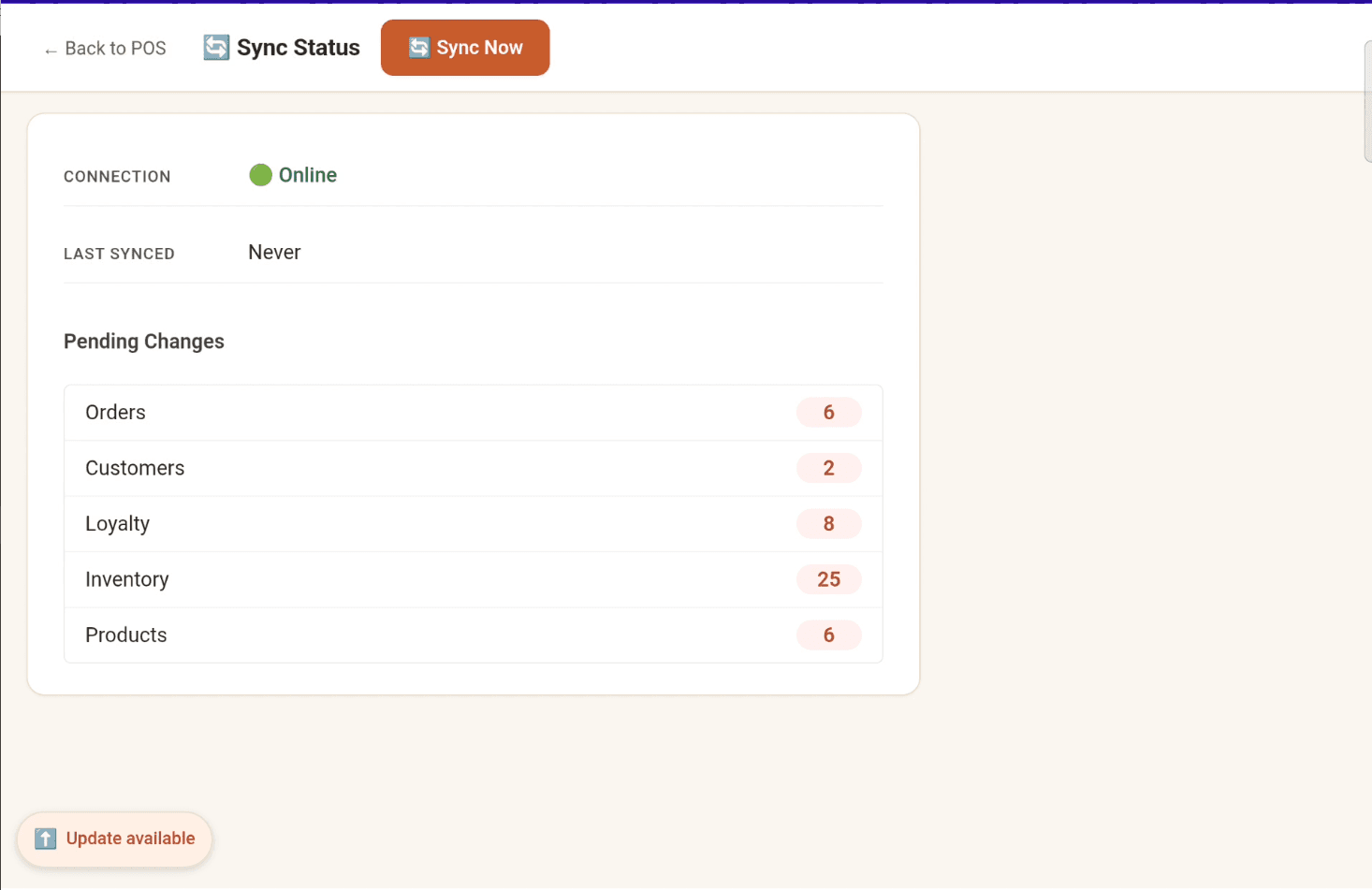
A typical Filipino café order has both drinks and food. Most POS systems make the cashier choose which printer to fire and when — EspressOS routes automatically based on product category.
Two Senda SDXP-210 Bluetooth thermal printers, paired once to the tablet:
- Drinks go to the bar printer the moment the order is rung
- Food goes to the kitchen printer at the same time
- Slips show items, quantity, and notes — no prices, no payment details (kitchen staff don't need the cashier's report)
- Printer failure is caught and logged — a broken printer never blocks order save or payment
ESC/POS layout is tuned for 58mm thermal paper (32 chars per line) so the receipts look right out of the box, no template fiddling required.
Customer loyalty
QR-based loyalty, no plastic cards
Customers show their QR code on their phone (or a screenshot — works offline too). Points earned at any branch are spendable at any other branch under the same café.
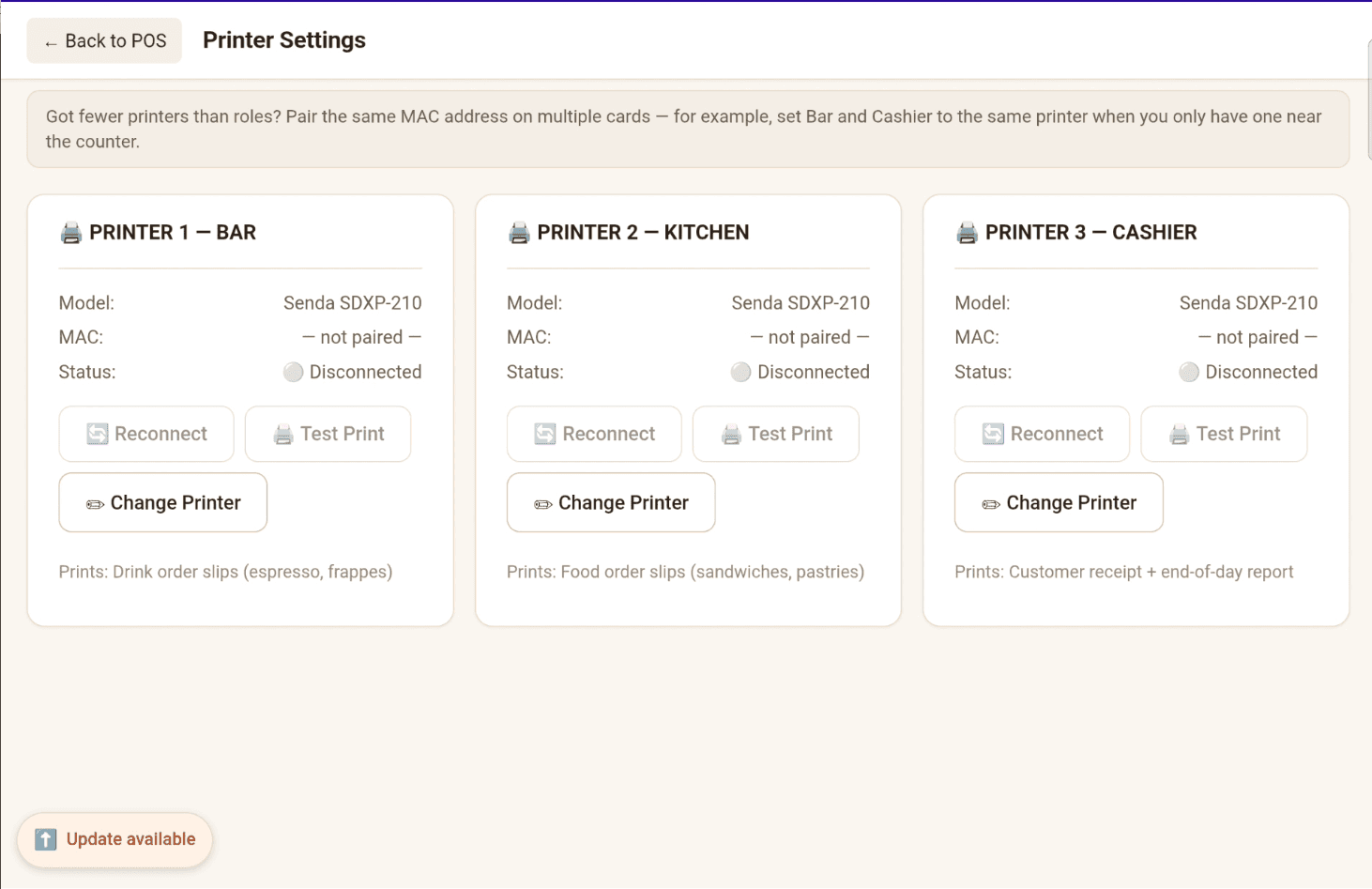
- 1 point per ₱100 spent, redeemable as ₱1 — no abstract point currencies to translate
- Cross-branch balance: earn at Lian, redeem at Tuy, the math just works
- Manual adjustment with required reason — your manager can fix a dispute without unlocking a hidden admin menu
- Adjustment history is audited so disputes 6 months later still have a trail
- Loyalty redemption can't exceed the order total (no negative bills)
PH compliance
PWD and Senior Citizen discounts, the way the BIR expects
RA 9994 (Senior Citizen) and RA 10754 (PWD) both grant a 20% statutory discount plus VAT exemption to qualified customers on their personal consumption. EspressOS handles the math, the receipt format, and the audit trail — including the per-item granularity an audit asks for.
- 20% statutory discount plus VAT exemption, computed per-line so the math survives BIR scrutiny
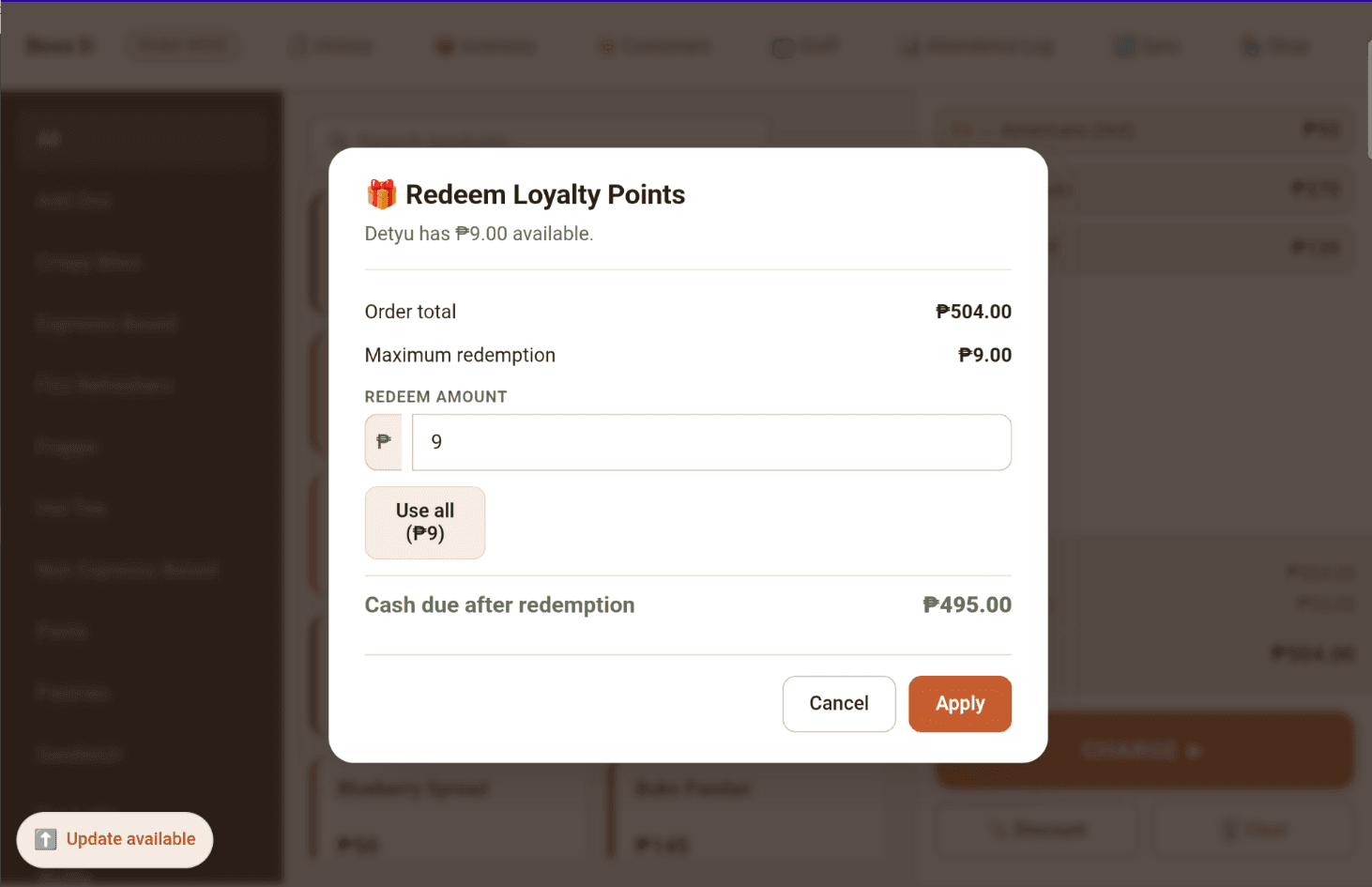
- Customer name + OSCA/PWD ID number captured at the till and printed on the receipt (BIR-required audit trail)
- Per-item granularity — when a senior couple orders three coffees and a pastry but only one of them is the qualified Senior, tag just that customer's drink. The cart line splits automatically.
- Whole-order or per-item discount mode — configurable per-cafe in admin so each shop runs the policy their accountant prefers
- Reports break out statutory vs promo discounts so you can hand the BIR-audit-relevant total to your accountant separately
International
Manila, Tokyo, or Los Angeles — your café, your calendar
Until recently EspressOS was hardcoded to Asia/Manila + PHP. As of mid-2026 the timezone and currency are per-tenant — pick yours in Settings → Localisation, and the rest of the product follows.
- 21 supported IANA timezones across Asia-Pacific, Australia/NZ, the Americas, and Europe (Asia/Manila, Asia/Tokyo, America/Los_Angeles, Europe/London, plus UTC) — request more if your region's missing. Reports, receipts, and the end-of-day rollup all bucket on your local calendar
- DST-correct date math — spring-forward and fall-back days are 23 / 25 hours of real time, and the totals work out
- ISO 4217 currency code drives the currency glyph in the cart, on the receipt, and in PDF reports — ₱, $, €, ¥, ₹, ฿, etc.
- Billing is still PHP-only today (manual bank transfer / GCash); non-PH cafés set up billing the same way Enterprise does
Inventory & recipes
Stock auto-decrements when you sell a coffee
Define your recipes once — say a cappuccino uses 18g espresso beans + 150ml whole milk — and each branch's inventory tracks itself. Manual stock counts only when you need them.
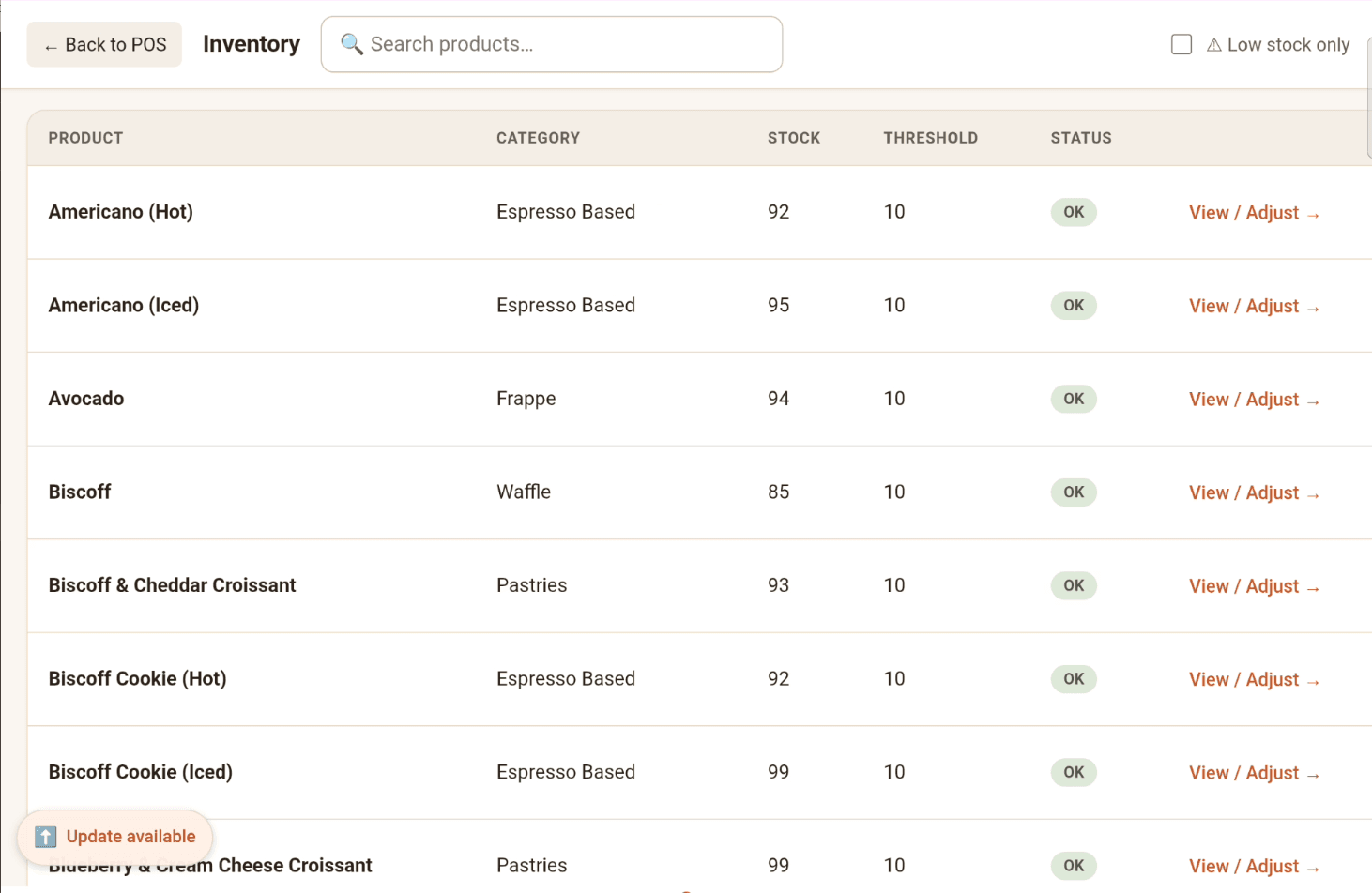
- Ingredient catalogue with per-branch stock, low-stock threshold, cost per unit (each branch tracks its own pantry; the catalogue is shared)
- Recipes link products to ingredients with quantity used
- Stock decrements automatically when an order completes
- Manual adjustments (wastage, miscount fix, restock) require a reason and create an audit row
- Low-stock alerts surface on the dashboard so you reorder before you run out, not after
- Ingredient purchase log — total cost, supplier, date — feeds COGS into the reports
Reports
P&L, top products, year-over-year — without leaving the laptop
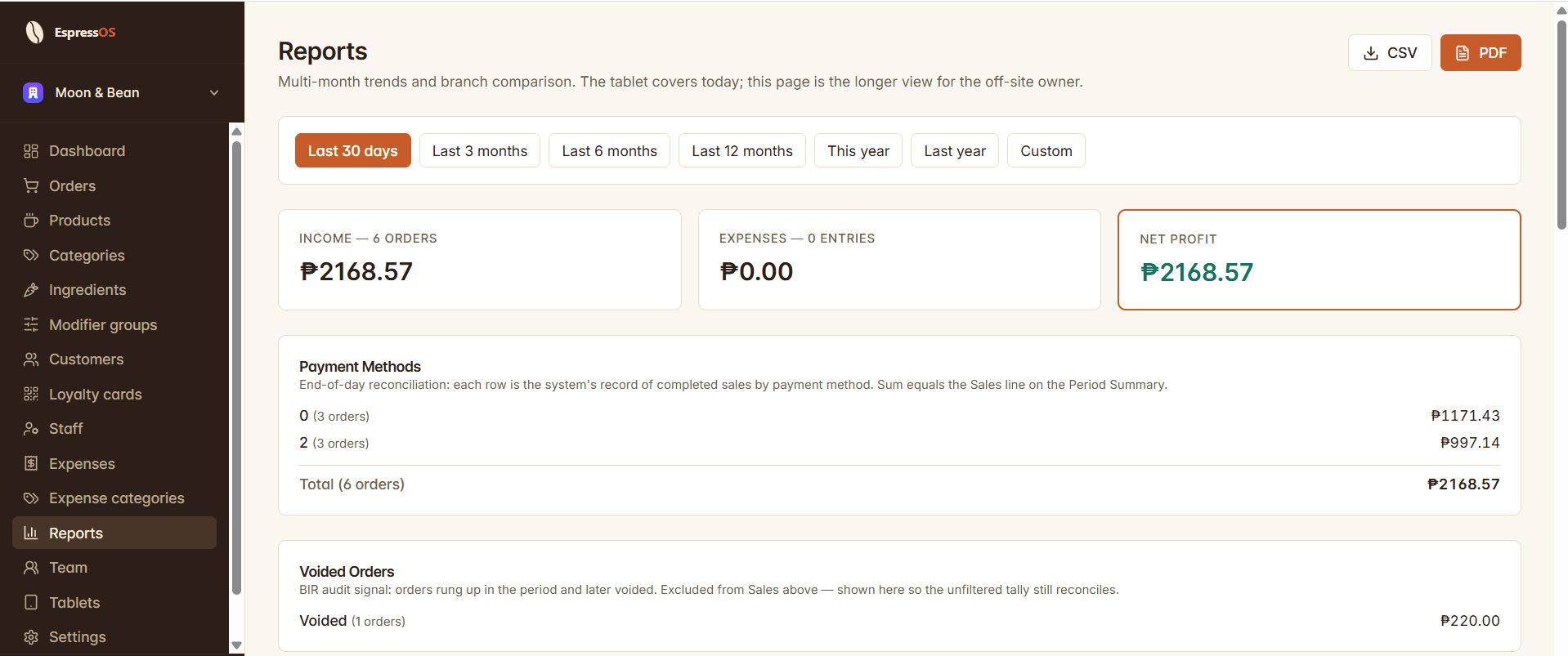
The admin web (this site) is built for off-site owners. Pull up reports from home in the morning, spot the dip in afternoon sales, decide whether to push the loyalty promo this weekend.
Available from any browser, no app install required:
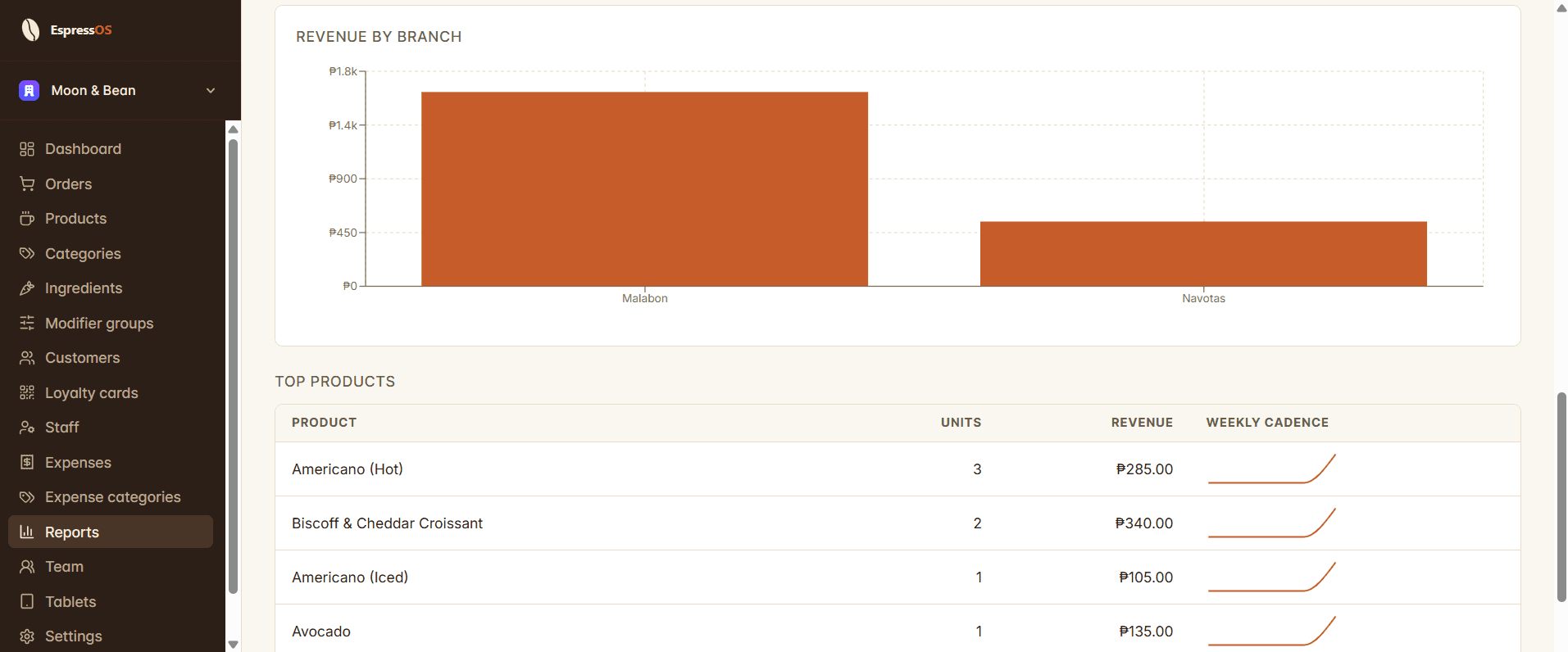
- Daily sales rollup by branch
- Per-staff attendance log — clock-in / clock-out events from the tablet, filterable by date range and staff member
- Top products (last 7/30/90 days) with per-product margin if you have recipe + ingredient cost set
- Multi-month sales trends with month-over-month deltas
- Year-over-year comparison ("Was last May better than this May?")
- Voided-orders BIR audit row — the orders rung up and later voided are surfaced as their own line so the unfiltered tally still reconciles
- Expense tracking with category breakdown
- Low-stock and out-of-stock alerts as a single dashboard widget
All reports respect branch attribution — you can filter to one branch or see the whole café rolled up.